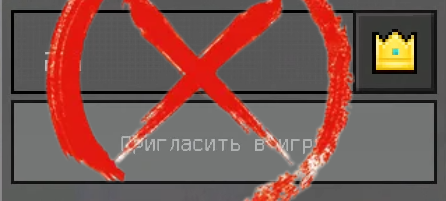
XNoNickSpace
The XNoNickSpace plugin secures Bedrock servers, disallowing usernames with spaces or invisible characters.

XNoNickSpace
The XNoNickSpace plugin provides protection for Minecraft Bedrock servers by disallowing entry with usernames containing spaces or invisible characters

About The Project
✔️ Protection from unwanted nicknames: The plugin prevents players with nicknames containing spaces or invisible characters from joining, ensuring cleanliness and professionalism on your server.
✔️ Flexible restriction settings: You can configure additional limitations for nicknames. For instance, you can allow spaces in the middle or at the end of nicknames by selecting the corresponding settings in the plugin menu.
✔️ Dual Language Support: The XNoNickSpace plugin comes with built-in support for two languages directly from the source code, making it easy to cater to a broader player base with different language preferences.
✔️ In Beta mode, you will have the option to add a prefix to your players' nicknames instead of kicking them if they have a space or invisible character.
✔️ The plugin also features flexible settings where you can enable a notification for all server players when a player with a space in their nickname joins.
:question: Why did XNoNickSpace appear?
The idea behind creating this plugin emerged after many players attempted to impersonate the administration by simply adding spaces or invisible characters to the beginning or end of their nicknames. After searching the internet, I couldn't find an equivalent, which led to the decision of gifting this creation to the community.
⬇️ Downloads:
| Downloads | API | Downloads |
|---|---|---|
| latest version (0.0.1) | 5.x | GitHub Release |
| latest version (0.0.1) | 5.x | Poggit Release |
📁 Supported software:
This plugin works only on PocketMine-MP. (And maybe on his NetherGames fork).
🔧 How to install XNoNickSpace?
- Download latest stable released version from poggit.
- Move dowloaded file to your server /plugins/ folder.
- Restart the server.
- Configure the language and protection level in the plugin's config; by default, it will operate at the highest level of protection.
⚙️ Configuring XNoNickSpace:
After installing the plugin on the server, you should navigate to the 'plugins_data' folder, find 'XNoNickSpace,' and in the 'config.yml' file, change the 'type_check' to the mode that suits your needs the most:
| TYPE | Description |
|---|---|
| Easy | Checks for spaces or invisible characters at the beginning of the nickname. |
| Intermediate | Checks for spaces or invisible characters at the end of the nickname. |
| Advanced | Checks for spaces or invisible characters both at the beginning and end of the nickname. |
| Expert | Checks for spaces or invisible characters throughout the entire nickname. |
| Beta | In BETA mode, you won't kick players; instead, you can add text or symbols to their nickname from the config. Additionally, it will notify all players about the presence of a potentially harmful player. |
 xrde4
xrde4