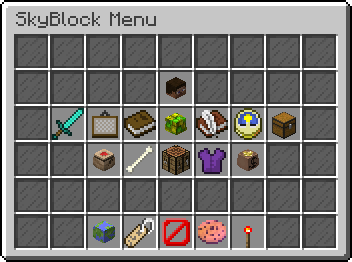
NetherMenus
Custom GUI plugin using InventoryUI virion
NetherMenus
A modern PocketMine-MP v5 GUI framework powered by the InventoryUI virion and PlaceholderAPI. Create fully dynamic menus from YAML with placeholders, requirements, actions, live updates, sounds, and more.
- Main class:
NetherByte\NetherMenus\NetherMenus - API: PocketMine-MP 5.x
- Softdepends:
PlaceholderAPI,PocketVault
Features
- Dynamic GUIs defined in simple YAML files under the plugin data folder
- Full PlaceholderAPI support (names, lore, requirements, actions)
- View and click requirements with success/deny actions
- Custom open commands per GUI (e.g.
/shop,/kits), plus/guiand/guiadmin - Live updates without closing the GUI (
update_interval,[refresh]action) - Rich action system (console/player commands, sounds, money/xp, perms, open GUI)
- Material sources: standard item IDs, NBT base64 blobs, placeholder-provided items, equipment
- Armor trims, leather dye, dynamic amounts
- Per-player menu tracking + placeholders (current/last menu)
Installation
- Place NetherMenus in your server
plugins/folder. - Ensure these dependencies are installed as needed:
- PlaceholderAPI (for placeholders in text and requirements)
- PocketVault (for money/permissions actions and money requirements)
- Start the server to generate
plugin_data/NetherMenus/and default folders. - Place your GUI YAML files in:
plugin_data/NetherMenus/guis/*.yml.
Inventory UI Resource Pack Requirement
NetherMenus uses a bundled InventoryUI virion that requires the server to have the Inventory UI Resource Pack installed and resource packs forced for clients.
- Required RP UUID:
21f0427f-572a-416d-a90e-c5d9becb0fa3 - Required RP version:
1.1.0 - Server setting:
force_resources=trueinserver.properties
If the pack is missing or not forced:
- The plugin stays enabled in a safe degraded mode.
/gui, custom open commands and/guiadminwill show a message and NOT open any forms.- Console will show messages like:
[NetherMenus] InventoryUI not ready: Resource pack 'Inventory UI Resource Pack' not found[NetherMenus] Plugin will not work and features will be degraded[NetherMenus] Download the resource pack from (link)[NetherMenus] NetherMenus: Resource pack not detected. Please download/enable the Inventory UI Resource Pack for full functionality.
Install the resource pack put the resource pack in the resource pack folder and set force_resources=true in resource_packs.yml and name file name of resource pack in resource_stack: like this
resource_stack:
-Inventory UI Resource Pack
Then restart the server to restore full functionality.
Commands & Permissions
/gui <id>- Opens a GUI if its YAML contains
open_command: "gui <id>" - Permission:
nethermenus.command(default: true)
- Opens a GUI if its YAML contains
/guiadmin- Opens the admin form UI
- Permission:
nethermenus.admin(default: op)
- Custom open commands
- Defined per GUI via
open_command:(string or list). Example:open_command: shopregisters/shop. - Permission:
nethermenus.command
- Defined per GUI via
YAML Overview
Top-level keys (GUI file):
id: string– Logical ID (defaults to the file name without extension)name: string– GUI title (supports placeholders)rows: 1..6– Number of rows (size = rows * 9)open_command: string | string[]– Commands that open this GUI (besides/gui <id>)command_description: string– Description used when registering custom commandsopen_actions: string | string[]– Actions to run when GUI opensclose_actions: string | string[]– Actions to run when GUI closesopen_requirement: { … }– Requirement block evaluated before openingupdate_interval: number– Seconds between updates for items withupdate: truefiller_item:– Background filler configurationmaterial: stringslots: string | string[]– Comma list or ranges (e.g."0-8, 36-44")
items:– Map of item entries. Each entry supports:slot: number | string | string[]– Single slot or comma/range/arraypriority: number– Lower is chosen first when entries target the same slotmaterial: string– See Materialsamount: number(1..64)dynamic_amount: string– Placeholder string resolving to 1..64display_name: stringlore: string | string[]tooltip: { display_name?, lore? }– Alternate container for name/loredye: string– leather color (purpleor#RRGGBB)trim_material: string– e.g.emerald, copper, netherite, ...trim_pattern: string– e.g.host, coast, vex, ...update: bool– Iftrue, only name/lore are refreshed eachupdate_intervalview_requirement: { … }– Requirement block controlling visibilityclick_requirement: { … }– Requirement block evaluated on clicksuccess_actions: string | string[]– Actions to run on click successaction | actions– Legacy aliases forsuccess_actions
Materials
- Standard identifiers via
StringToItemParser:STONE,OAK_PLANKS, or full names likeminecraft:netherite_chestplate
- Base64 NBT item:
material: nbt-"<base64-serialized-nbt>"
- Placeholder-provided identifiers:
material: placeholder-%player_item_in_hand%
- Equipment shortcuts:
main_hand|mainhand,off_hand|offhandarmor_helmet,armor_chestplate,armor_leggings,armor_boots
Actions
Write as lines in [tag] arg format. All args are parsed by PlaceholderAPI before use.
- Core
[close]– Closes the GUI (runsclose_actions)[opengui] <guiId>– Opens another GUI (respects its open requirement)[refresh]– Rebuilds current GUI items without closing[message] <text>/[broadcast] <text>/[chat] <text>[console] <cmd>/[player] <cmd>
- Economy (PocketVault)
[givemoney] <amount>/[takemoney] <amount>
- Permissions (PocketVault)
[givepermission] <node>/[takepermission] <node>
- Experience
[giveexp] <amt|amtL>/[takeexp] <amt|amtL>(Lsuffix = levels)
- Sounds (Bedrock ids)
[sound] <id> [volume] [pitch][broadcastsound] <id> [volume] [pitch][broadcastsoundworld] <id> [volume] [pitch]
Requirements
A requirement block is evaluated as a whole and supports success/deny actions.
Block keys:
requirements:– map of individual requirement specsminimum_requirements: number– Minimum number of individual requirements that must passstop_at_success: bool– Stop evaluating after reachingminimum_requirementssuccess_actions:– Run if the block passesdeny_actions:– Run if the block fails
Individual requirement types (examples):
type: has permission+permission: nodetype: has permissions+permissions: [node1, node2]+minimum: 1type: has money+amount: 500type: has exp+amount: 10+level: true|falsetype: is near+location: 'WORLD,X,Y,Z'+distance: '5'type: has itemwith advanced options (name/lore contains, ignorecase, armor/offhand, strict)- String comparisons:
type: string equals/string equals ignorecase/string containstype: string length+min:+max:
- Comparators:
type: (==, !=, >=, <=, >, <)+input:+output:
type: javascript+expression:
Negation is supported for any type using type: "!has permission", etc.
Placeholders (NetherMenus)
Provided via hook/PlaceholdersHook.php (requires PlaceholderAPI):
%nethermenus_opened_menu%– ID of the menu currently open (empty if none)%nethermenus_is_in_menu%–yes/noif a menu is open%nethermenus_last_menu%– ID of the last menu the player had open%nethermenus_opened_menu_name%– Display name of the currently open menu%nethermenus_last_menu_name%– Display name of the last open menu
Open Command and Visibility
- Command(s) to open a GUI are read from
open_command:and registered on enable (excluding the base/guito avoid conflicts). - If multiple items compete for the same slot, entries are considered in ascending
priority. When priority ties, the last-defined entry wins.
Example GUI YAML
id: a1
name: Actions Menu
rows: 4
open_command: action
command_description: Open the actions menu
open_actions: '[sound] beacon.activate 1 1'
close_actions: '[sound] beacon.deactivate 1 1'
update_interval: 1
filler_item:
  material: light_gray_stained_glass_pane
  slots: 0-35
items:
  Slot_24:
    material: minecraft:clock
    slot: 24
    update: true
    display_name: Ping
    lore:
      - 'Ping: %player_ping%'
  Slot_26:
    material: minecraft:netherite_chestplate
    slot: 26
    trim_material: emerald
    trim_pattern: host
Troubleshooting
- Inventory UI Resource Pack missing
- Install the pack (UUID/version above), set
force_resources=true, restart the server. - In degraded mode,
/guiand/guiadminwill send an in-game message and not open.
- Install the pack (UUID/version above), set
- Actions not working
- For economy/permissions actions, ensure PocketVault is installed and providers are available.
- Placeholders not resolving
- Ensure PlaceholderAPI is installed and the text supports parsing (GUI name, lore, actions, requirement inputs/outputs).
File/Folder Structure
src/NetherByte/NetherMenus/– Main plugin codesrc/NetherByte/NetherMenus/ui/gui/– GUI runtimesrc/NetherByte/NetherMenus/hook/– Hooks (PlaceholderAPI provider, PocketVault hook, inventory close listener)src/NetherByte/NetherMenus/libs/– Bundled virions/libs (InventoryUI, forms, etc.)plugin_data/NetherMenus/guis/*.yml– Your GUI definitions
Credits
- InventoryUI virion by tedo0627 (bundled)
- PlaceholderAPI by NetherByte
- PocketVault by NetherByte (economy/permission integration)
If you want a full in-depth guide, see the wiki in NetherMenus-wiki/ for options, examples, and requirement type references.
Details
Version: 2.0.0
Downloads: 34
Updated: 10/4/2025
Supported API versions: 5.0.0 to 5.36.0
Categories: General
License: MIT
 NetherByte233