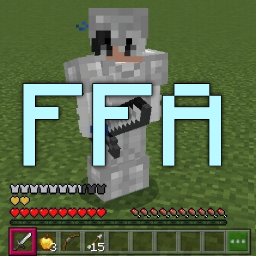
FFA
PvP arena plugin with kits, leaderboards, and survival combat zones.
Free For All
(FFA, or Free for All) is a survival fighting game where you fight to be the last one standing.
Dependencies
How to create an arena
- Teleport to the world where you want to make an arena.
- Type
/ffa create <arena name> [kitName:optional]to create the arena. - Go to the arena lobby and type
/ffa setlobbyto set the lobby position. - Go to the respawn position and type
/ffa setrespawn. Players will return here after death (you can toggle this in the config). - You can also set a kit using
/ffa setkit <kitName>. - Use
/ffa reloadto load the arena. - You're now ready to play. Type
/ffa join "arena name"to join. To leave the game, type/ffa quit.
Configuration
Formats
{PLAYER}: player's name{ARENA}or{GAME}: arena name&: same as§{WORLD}: arena's world name{PLAYERS}: number of players in the arena{TIME}: remaining player protection time
General
scoreboardIp: Your server IP to show on the game scoreboard.banned-commands: Commands you want to ban during the game.death-respawn-inMap: Iftrue, players respawn at the respawn position; iffalse, they don't.join-and-respawn-protected: Protects players for a few seconds after joining or respawning.protected-time: Duration of protection in seconds.protected-message: Message shown during protection.death-attack-message: Death message when killed by another player.death-void-message: Death message when killed by the void.join-message: Message shown when a player joins.leave-message: Message shown when a player leaves.kills-messages: Kill messages sent automatically every 5 kills.scoreboard-title: Scoreboard title.provider: Currently onlysqlite3is supported; do not change.database: Do not change.kits: Add as many kits as you want and assign them to arenas.
Important YAML Note:
- When editing messages that contain
&color codes (like&cfor red,&afor green, etc.), wrap the entire message in double quotes (""). This ensures YAML correctly parses the&symbol as a string character. Example:join-message: "&aWelcome {PLAYER} to {ARENA}!" - When using legacy item IDs with meta values (like
261:0for a bow), wrap them in quotes. Without quotes, YAML interprets the colon (:) as a mapping indicator. Example:id: "261:0"instead ofid: 261:0
Example kit configuration:
kits:
  default:
    slot-0:
      id: iron_sword
      count: 1
      enchants: []
    slot-1:
      id: golden_apple
      count: 5
      enchants: []
    slot-2:
      id: bow
      count: 1
      enchants: []
    slot-3:
      id: arrow
      count: 15
      enchants: []
    helmet:
      id: iron_helmet
      enchants: []
    chestplate:
      id: iron_chestplate
      enchants:
        id-0:
          level: 2
    leggings:
      id: iron_leggings
      enchants: []
    boots:
      id: iron_boots
      enchants: []
Commands
| Command | Description | Permission |
|---|---|---|
/ffa join [arenaName] | Join a specific or random arena | No permission |
/ffa quit | Leave the arena | No permission |
/ffa help | Show command list | ffa.command.admin |
/ffa create <arenaName> [kitName] | Create a new arena | ffa.command.admin |
/ffa remove <arenaName> | Delete an arena | ffa.command.admin |
/ffa setlobby | Set lobby position | ffa.command.admin |
/ffa setrespawn | Set respawn position | ffa.command.admin |
/ffa setkit <kitName> | Set kit for arena | ffa.command.admin |
/ffa spawntop | Spawn a leaderboard entity | ffa.command.admin |
/ffa removetop | Remove leaderboard entity | ffa.command.admin |
/ffa reload | Reload kits and arenas | ffa.command.admin |
/ffa list | List all arenas | ffa.command.admin |
API
As of v2.0.0, all API functions are in API.php.
use Laith98Dev\FFA\API;
use Laith98Dev\FFA\utils\ClosureResult;

// Add kills to player
API::addKill($playerOrName, $amount, function(ClosureResult $result) {
    if($result->isSuccess()){
        echo "Added $amount kills to player." . PHP_EOL;
    } else {
        echo "Failed: " . $result->getValue() . PHP_EOL;
    }
});

// Add deaths to player
API::addDeath($playerOrName, $amount, function(ClosureResult $result) {
    if($result->isSuccess()){
        echo "Added $amount deaths to player." . PHP_EOL;
    } else {
        echo "Failed: " . $result->getValue() . PHP_EOL;
    }
});

// Get player kills
API::getKills($playerOrName, function(ClosureResult $result) {
    if($result->isSuccess()){
        echo "Kills: " . $result->getValue() . PHP_EOL;
    } else {
        echo "Failed: " . $result->getValue() . PHP_EOL;
    }
});

// Get player deaths
API::getDeaths($playerOrName, function(ClosureResult $result) {
    if($result->isSuccess()){
        echo "Deaths: " . $result->getValue() . PHP_EOL;
    } else {
        echo "Failed: " . $result->getValue() . PHP_EOL;
    }
});

// Get player kill streak
API::getKillStreak($playerOrName, function(ClosureResult $result) {
    if($result->isSuccess()){
        echo "Kill streak: " . $result->getValue() . PHP_EOL;
    } else {
        echo "Failed: " . $result->getValue() . PHP_EOL;
    }
});

// Get top leaderboard
// $type: "kills", "deaths", "killstreak"
// $amount: number of top players (e.g., 10)
API::getTops($type, $amount, function(ClosureResult $result) {
    if($result->isSuccess()){
        print_r($result->getValue());
    } else {
        echo "Failed: " . $result->getValue() . PHP_EOL;
    }
});

// Get full player stats (kills, deaths, kill_streak)
API::getPlayerInfo($playerOrName, function(ClosureResult $result) {
    if($result->isSuccess()){
        $info = $result->getValue();
        echo "Kills: " . $info["kills"] . ", Deaths: " . $info["deaths"] . ", Kill Streak: " . $info["kill_streak"] . PHP_EOL;
    } else {
        echo "Failed: " . $result->getValue() . PHP_EOL;
    }
});

// Check if arena exists
API::isValidArena($arenaName, function(ClosureResult $result) {
    if($result->getValue()){
        echo "Arena exists." . PHP_EOL;
    } else {
        echo "Arena doesn't exist." . PHP_EOL;
    }
});
Other


Details
Version: 2.5.0
Downloads: 89
Updated: 2/6/2026
Supported API versions: 5.0.0 to 5.36.0
Categories: Minigame, Fun, General
License: GPL-3.0
 Laith98Dev